Modern React applications depend on APIs to display dynamic content. However,
handling loading states manually can make components harder to maintain. React
Suspense for Data Fetching simplifies this process by allowing React to manage
loading states while keeping the user interface responsive.
Instead of writing repetitive code for every API request, developers can show a
fallback UI, such as a loading spinner or skeleton screen, until the required data is
ready. This results in cleaner code and a better user experience.
What Is React Suspense for Data Fetching?
React Suspense for Data Fetching allows React components to pause rendering
until the required data is available. While the data is loading, React displays a
fallback interface to keep users informed.
This approach removes much of the manual loading-state management, making
components easier to read and maintain.
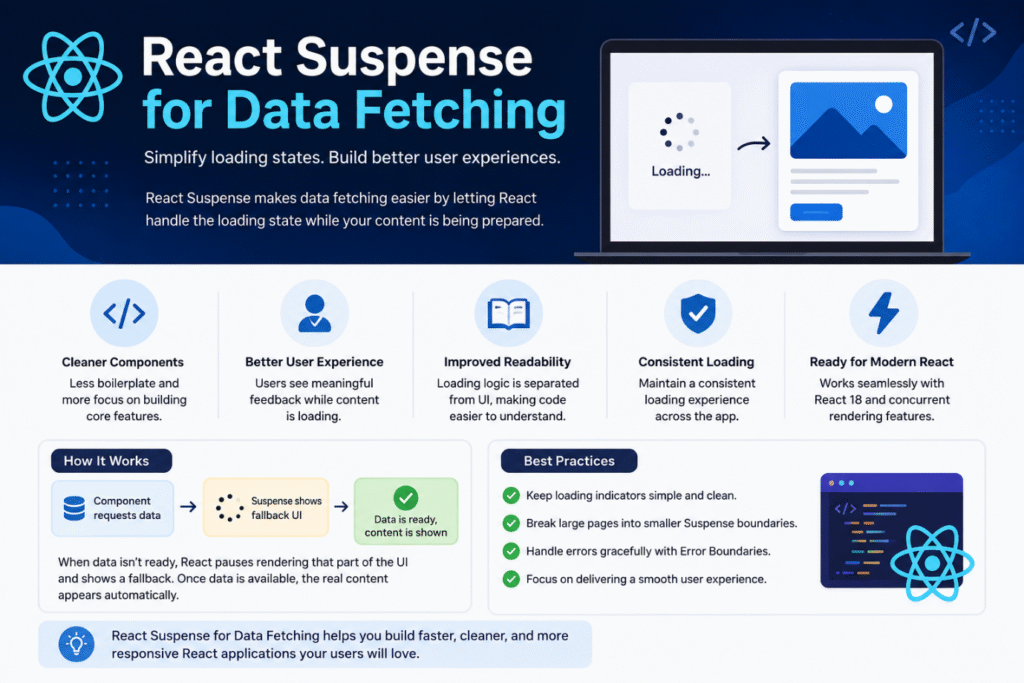
Why Use React Suspense for Data Fetching?
Applications such as dashboards, e-commerce stores, and social media platforms
rely on multiple API requests. Suspense helps improve these applications by:
Creating cleaner and more maintainable components
Displaying consistent loading indicators
Improving perceived performance
Reducing repetitive loading logic
Supporting modern React rendering features
The result is a smoother and more responsive user experience.
How React Suspense Works
When a component requests data that isn’t ready, React temporarily pauses
rendering that part of the UI and displays a fallback component.
Once the data becomes available, React automatically replaces the fallback with the
actual content without requiring additional loading logic inside the component.
This creates a seamless experience for users.
Common Use Cases
React Suspense works well in applications that frequently fetch data, including:
E-commerce product listings
User profile pages
Business dashboards
Social media feeds
Learning management systems
Streaming platforms
These applications benefit from smoother loading experiences and better
responsiveness.
Best Practices
To get the most from React Suspense:
Keep loading screens simple.
Break large pages into smaller Suspense boundaries.
Handle API errors using Error Boundaries.
Focus on improving the overall user experience instead of adding
unnecessary loading animations.
Common Mistakes
Avoid these common issues:
Expecting Suspense to replace all data-fetching logic.
Using one loading screen for the entire application.
Ignoring error handling.
Adding too many Suspense boundaries, making the application harder to
maintain.
React Suspense vs Traditional Data Fetching
Traditional React applications usually require developers to manage loading,
success, and error states manually inside each component.
With React Suspense for Data Fetching, React manages the loading state through
fallback components, resulting in cleaner code and a more consistent user
experience.
When Should You Use React Suspense?
Suspense is ideal for applications that:
Frequently communicate with APIs
Display dynamic content
Require fast, responsive interfaces
Contain multiple independent sections that load separately
For very small applications, traditional data-fetching methods may still be sufficient.
Conclusion
React Suspense for Data Fetching offers a modern way to manage asynchronous
rendering in React applications. By simplifying loading-state management, it helps
developers build cleaner components while delivering a smoother experience for
users.
As React continues to evolve, Suspense is becoming an essential feature for
building scalable, high-performance web applications.